
BridgeX Copier – Copy Trades Between MT4 & MT5 Automatically
Trade Once. Copy Everywhere.
Connect MT4 and MT5 accounts, distribute trades automatically, manage risk, monitor drawdown, and control multiple accounts from one powerful dashboard.
BridgeX Copier is the latest addition to the BridgeX trading tools ecosystem, designed for traders who want to distribute and manage trades across multiple MetaTrader 4 and MetaTrader 5 accounts.
BridgeX Copier is more than a simple trade copier. It combines multi-account trade distribution, flexible risk management, account protection, monitoring, and one-click trade control in one system.
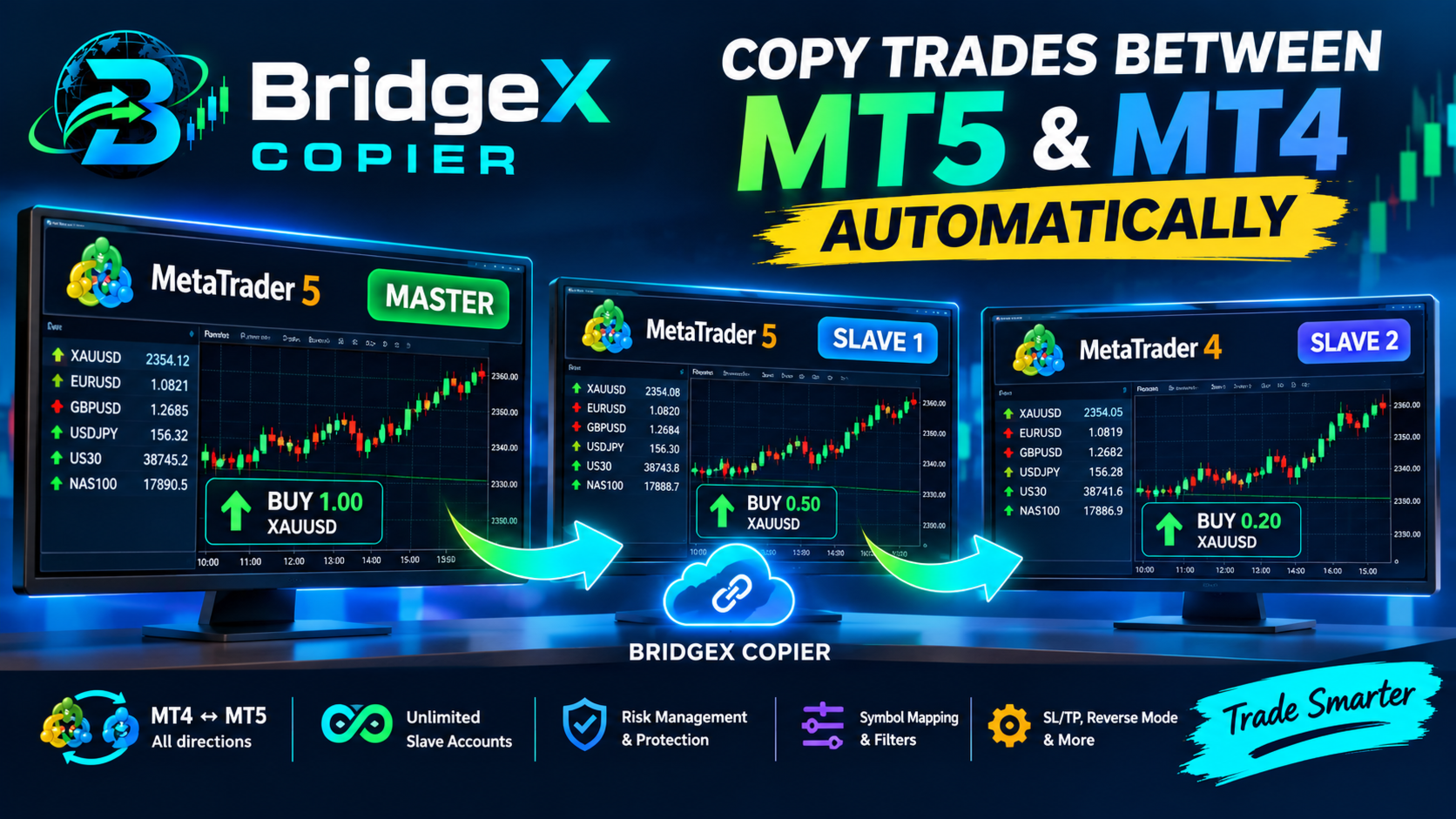
🌐 The BridgeX Trading Ecosystem
The BridgeX ecosystem now supports multiple trading directions:
📈 TradingView → MT4/MT5
Execute TradingView trades directly on your MetaTrader accounts.
🔄 MT5 → TradingView
Mirror MT5 trading activity to TradingView.
🚀 MT4/MT5 → MT4/MT5
Copy trades between MT4 and MT5 accounts in any direction with
unlimited Slave accounts.
- MT5 version : https://www.mql5.com/en/market/product/194874
- MT4 version : https://www.mql5.com/en/market/product/194914
- Get your 7 Days Free Trial
⭐ What Makes BridgeX Copier Different?
Many trade copiers simply duplicate an order from one account to another. BridgeX Copier goes further.
It is designed as a complete multi-account trading and control system, giving you the flexibility to decide how trades are copied, how much risk each account takes, and how your connected accounts are monitored and managed.
♾️ Unlimited Slaves
Connect one Master account to as many Slave accounts as you need.
🔀 MT4 & MT5
Copy MT5 → MT5, MT5 → MT4, MT4 → MT5, or MT4 → MT4.
📊 Per-Account Risk
Configure different risk and lot settings for each Slave account.
🎛️ Central Dashboard
Monitor accounts, drawdown, P/L and copied trades from one interface.
💼 More Than a Copier — Build Your Own Trading Business
One of the most interesting possibilities with BridgeX Copier is that it can become part of your own trading business or signal distribution system.
If you trade your own strategy, provide signals, manage multiple accounts, or want to distribute your trading activity to other accounts, BridgeX Copier gives you the infrastructure to turn one trading decision into multiple account executions.
- 📡 Distribute your trading signals to connected accounts.
- 💼 Manage multiple trading accounts at the same time.
- 📈 Trade one Master account and automatically stream trades to your Slaves.
- 👥 Build a signal service around your own strategy.
- 🤖 Distribute trades generated by your EA or trading system.
- 🏦 Manage different broker and account environments from one workflow.
Trade once. Distribute your strategy. Scale your workflow.
🎛️ Professional Multi-Account Dashboard
BridgeX Copier is not designed to disappear into the background. The integrated dashboard gives you a clear view of your connected trading environment.
Monitor Your Accounts at a Glance
View important information such as:
- 📉 Current Drawdown
- 💰 Daily Profit / Loss
- 📂 Open Copied Trades
- 📊 Trading Activity
- 🔗 Master & Slave status
- 🗺️ Symbol Mapping
- 🛡️ Account protection status
⚡ One-Click Trade Control
Sometimes you don't want to open every MetaTrader terminal individually. BridgeX Copier gives you direct control from the dashboard.
Close all managed open positions.
Close positions currently in profit.
Close positions currently in loss.
⚡ Key Features
🔄 Cross-Platform Copying — MT4 ↔ MT5 in any direction.
♾️ Unlimited Slaves — Connect as many follower accounts as you need.
📊 Flexible Risk Management — Fixed lots, lot multiplier, balance/equity ratio, risk percentage, and fixed-dollar risk.
🔀 Reverse Trading — Automatically reverse BUY and SELL trades.
🎯 Smart SL/TP — Flexible Stop Loss and Take Profit handling across different account environments.
🗺️ Symbol Mapping — Map symbols between different brokers, such as XAUUSD → XAUUSDm.
📐 Symbol Multipliers — Apply different lot multipliers to individual symbols.
🛡️ Account Protection — Daily loss limits, profit targets, automatic closing, and trading-stop controls.
🎛️ Advanced Filters — Filter trades by symbol, direction, order type, Magic Number, and trading session.
📦 Market & Pending Orders — Copy both market and pending orders.
📈 Professional Dashboard — Monitor accounts, drawdown, P/L, copied trades, and manage positions directly from the EA.
🔗 How BridgeX Copier Works
Open a trade on the Master account and BridgeX Copier automatically distributes the corresponding trading instruction to the connected Slave accounts according to their individual configuration.
🔄 Supported Copying Directions
🚀 Start Copying Trades Today
Try BridgeX Copier and discover a more flexible way to distribute, monitor, and manage trades across your MT4 and MT5 accounts.
🎁 Get Your 7 Days Free Trial🛠️ How to Use BridgeX Copier
- Install the EA on your Master and Slave MT4/MT5 accounts.
- Allow WebRequest in MetaTrader: Tools → Options → Expert Advisors, enable Allow WebRequest for listed URL, and add the BridgeX server URL provided in the User Guide.
- Set one account as MASTER and configure your Group ID.
- Set the follower accounts to SLAVE mode and use the same Group ID.
- Configure your Risk Management, Symbol Mapping, Reverse Mode, SL/TP, Filters, and Account Protection.
- Start trading on the Master and let BridgeX Copier distribute the trades automatically.
🎥 Watch the Full BridgeX Copier Demo
See how BridgeX Copier works with MT4 and MT5 accounts, including trade copying, risk management, pending orders, reverse mode, and multi-account management.
📖 For complete installation and configuration instructions, watch the full video above.
🌍 One Master. Unlimited Slaves. MT4 & MT5.
Trade Once. Copy Everywhere.
BridgeX Copier is built for traders who want to distribute strategies, manage multiple accounts, control risk, and operate a scalable multi-account trading workflow.
⚠️ Trading involves risk. Trade copying does not guarantee profits. Always test your configuration on demo accounts and ensure that your trading, signal distribution, and account-management activities comply with your broker, prop firm, and applicable regulations.

Do you have an image you'd like to include in your comment? Use the following format:
:img:Image URL here:eimg: